
How to Apply for an IPO in MeroShare: Step-by-Step Guide for 2026

Share Hub
October 23, 2026 03:41 AM
For most people in Nepal, the stock market journey starts with an IPO. It is simple once you have done it a couple of times, but the first application can feel intimidating: a CRN number, a transaction PIN, ASBA, kitta, and a declaration you are not quite sure you understand.
This guide takes you through the whole process in MeroShare, explains each term in plain language, and covers the mistakes that most often get applications rejected. Two short videos from the ShareHub NEPSE Beginner Series show every step on screen.
Before you apply: the checklist
You need four things in place before you can apply for any IPO:
- A bank account with a bank that offers ASBA, which almost every commercial bank does.
- A demat account with a depository participant (DP), usually a bank's capital or securities arm.
- A MeroShare account linked to your demat account, with your bank details added.
- A CRN number from your bank, which links your bank account to IPO applications.
If you do not have these yet, start with our guide to opening a demat, MeroShare and TMS account. If you have the accounts but no CRN, this video explains how to get one:
Key terms in plain language
- IPO: Initial Public Offering, when a company sells shares to the public for the first time.
- ASBA: Application Supported by Blocked Amount. The money for your application stays in your bank account but is blocked until allotment is decided.
- Kitta: the Nepali term for units or shares.
- CRN: Customer Reference Number, issued by your bank for ASBA applications.
- Transaction PIN: a four-digit PIN you set in MeroShare to confirm applications.
How to apply for an IPO in MeroShare, step by step
- Log in to MeroShare. Go to meroshare.cdsc.com.np, select your DP, and enter your username and password.
- Open My ASBA. From the menu, choose My ASBA, then the Apply for Issue tab. Open issues are listed here.
- Choose the issue. Find the company and click Apply. Check the share type and group carefully, for example ordinary shares for the general public.
- Fill in your bank details. Select your bank and account number. The branch usually fills in automatically.
- Enter the number of units. The minimum is usually 10 kitta. The amount is calculated for you.
- Enter your CRN and tick the declaration.
- Proceed and confirm. Enter your transaction PIN and click Apply.
- Check the status. Go to the Application Report tab under My ASBA to confirm that the application has been verified and the amount blocked.
Watch the full process on screen:
Common mistakes that get applications rejected
| Mistake | How to avoid it |
|---|---|
| Wrong or expired CRN | Confirm your CRN with your bank before the issue opens. |
| Not enough balance | Keep the full application amount plus a buffer in the linked account. |
| Applying in the wrong category | Apply only in the quota you qualify for, such as local people or Nepalis working abroad. |
| Applying twice for the same issue | Each BOID can apply only once per issue. Duplicates can be rejected. |
| Waiting until the last hour | Bank verification can take time. Apply early in the issue period. |
Never miss an IPO: track issues in ShareHub
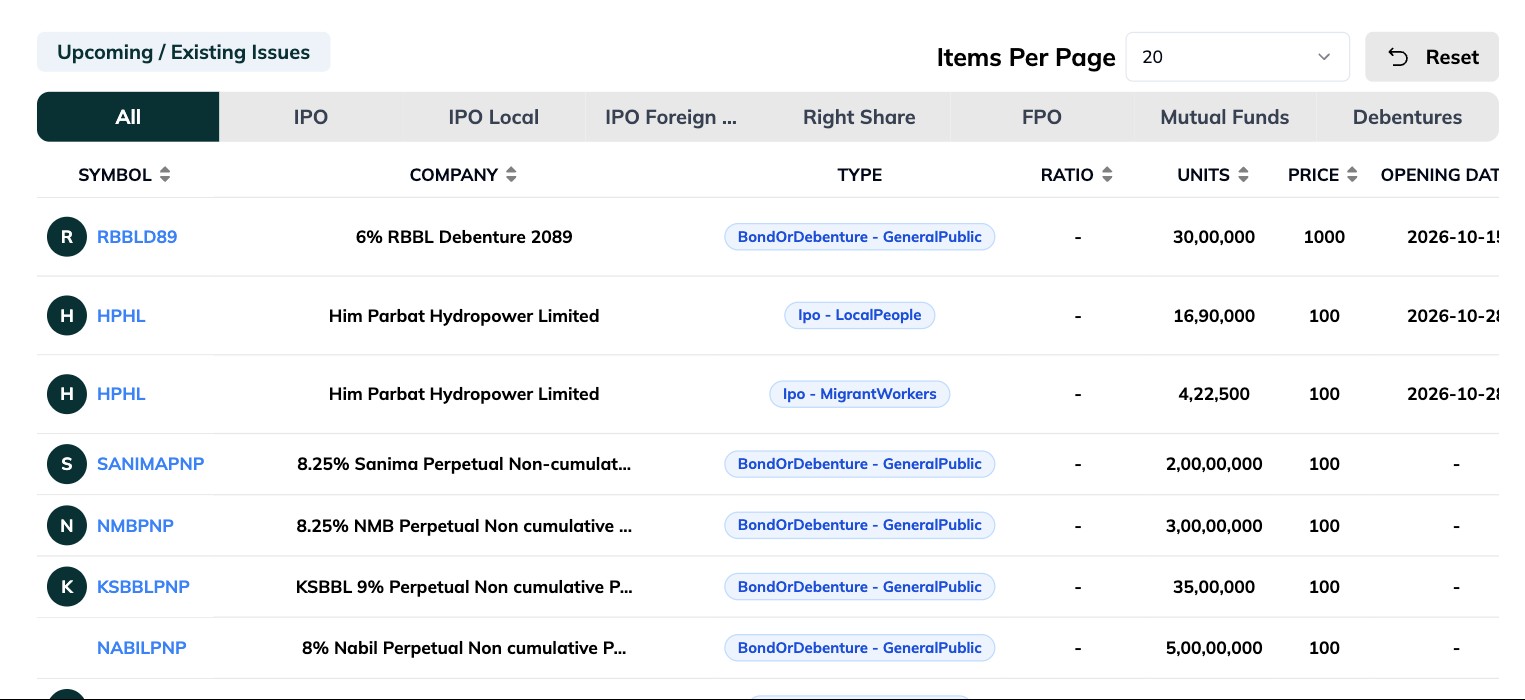
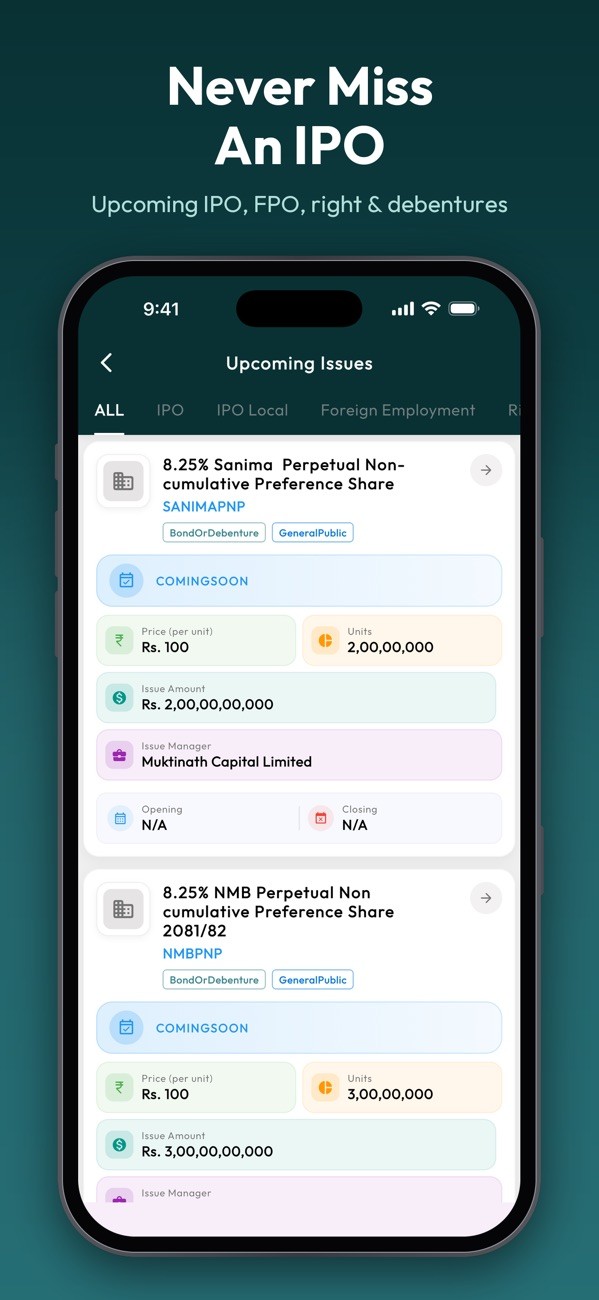
MeroShare shows an issue only once it is open. ShareHub's Upcoming Issues section shows what is open now and what is coming next, including IPOs for local people, IPOs for Nepalis in foreign employment, right shares, FPOs, mutual funds and debentures, with dates, units, price and issue manager.
After you apply: results and what to do next
Once the issue closes, the issue manager runs the allotment. If you are allotted, the shares appear in your demat account and the blocked amount is debited. If not, the amount is released back to your account. You can check results in MeroShare or follow our guide on how to check IPO results. In the ShareHub app, you can check results for every BOID in your family at once.
Wondering whether to hold or sell your allotted shares? This video from the series walks through the decision:
Also in the app: IPO tracking, upcoming issue alerts and result checks is available in the ShareHub mobile app for Android and iOS, so you can do it from your phone as easily as from your computer.
Frequently asked questions
What is the minimum number of shares I can apply for?
Usually 10 kitta, though the maximum differs for each issue. Check the issue details before applying.
Is my money deducted when I apply?
No. It is blocked in your bank account under ASBA and is debited only if shares are allotted.
Can I apply for my family members?
Each person applies through their own MeroShare account and BOID. You can manage the logins, but every application must be made from the right account.
Can Nepalis working abroad apply?
Yes. Many issues reserve a quota for Nepalis in foreign employment, who apply under that category with the required documents.
Never miss the next IPO
See every upcoming IPO, FPO and right share in one place, and check results for your whole family.
View upcoming issuesGet it on Google PlayDownload on the App Store