
Capital Gains Tax on Shares in Nepal 2026: New 3.75% and 5% Rates Explained

Share Hub
October 23, 2026 03:37 AM
Few things have confused NEPSE investors in 2026 as much as capital gains tax. The rate went up in July, the market slumped, the government announced a rescue plan in September, and within a week the rate came down again. If you sold shares at any point this year, the tax deducted from your sale may not match what you expected.
This guide sets out the current rates, how they changed over the year, how the tax is actually calculated on a real trade, and what you can do to keep more of your gains.
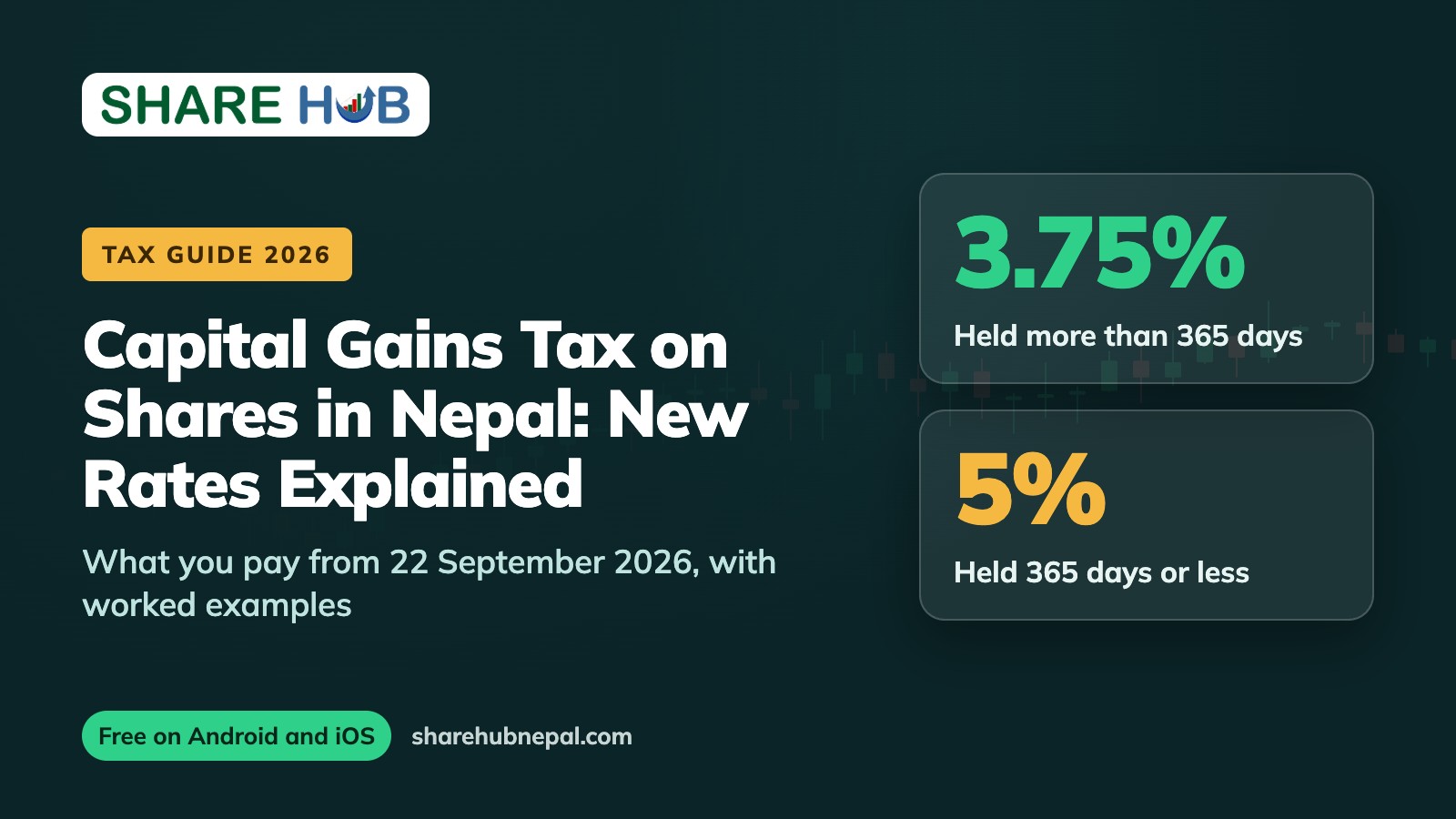
Current rates for resident individuals (from 22 September 2026): 3.75% on gains from listed shares held for more than 365 days, and 5% on gains from shares held for 365 days or less.
How the CGT rate changed in 2026
The rate has moved twice this year, so it helps to see the full timeline in one place:
| Period | Held more than 365 days | Held 365 days or less |
|---|---|---|
| Fiscal year 2082/83 (until mid-July 2026) | 5% | 7.5% |
| From the 2083/84 budget (mid-July 2026) | 7.5% | 10% |
| From 22 September 2026 (current) | 3.75% | 5% |
The increase came with the budget for fiscal year 2083/84. After the market reacted badly, the Ministry of Finance announced a 21-point Capital Market Strengthening and Revival Action Plan in mid-September. Cutting CGT for individual investors was one of its headline measures. The Cabinet approved the new rates, and they took effect on 22 September 2026, when the decision was published in the Nepal Gazette. Some early reports quoted the long-term rate as 3.5%, but the gazetted rate is 3.75%.
For the full list of reforms in that plan, including intraday trading and loss netting, read our explainer on Nepal's 21-point capital market revival plan.
Who pays which rate
- Resident individuals: 3.75% if you held the shares for more than 365 days, 5% if you held them for 365 days or less.
- Institutional investors: the reduction announced in September applies to resident individuals. Institutions are taxed under a separate rate, so companies and funds should confirm the rate that applies to them with their broker or tax adviser.
The holding period is counted from the date the shares came into your demat account to the date you sell them. Shares bought at different times are treated separately, which is why keeping accurate purchase records matters.
How CGT is calculated on a real trade
CGT is charged on your gain, not on the full sale amount. Your gain is the sale value minus the sale-side charges, minus your total cost of purchase. Your broker deducts the tax at the time of settlement, using the purchase cost recorded in MeroShare.
Here is a worked example using ShareHub's Sell calculator. You buy 1,000 shares at Rs. 450 and sell them at Rs. 560.
| Item | Amount (Rs.) |
|---|---|
| Purchase value (1,000 x 450) | 4,50,000.00 |
| Buy-side broker commission and SEBON fee | 1,552.50 |
| Total purchase cost | 4,51,552.50 |
| Sale value (1,000 x 560) | 5,60,000.00 |
| Sell-side broker commission, SEBON fee and DP charge | 1,845.00 |
| Taxable gain | 1,06,602.50 |
Now look at what you pay in tax on that same Rs. 1,06,602.50 gain under each rate:
| CGT rate | Tax payable (Rs.) |
|---|---|
| 10% (short-term, July to September 2026) | 10,660.25 |
| 7.5% (long-term, July to September 2026) | 7,995.19 |
| 5% (short-term, current) | 5,330.13 |
| 3.75% (long-term, current) | 3,997.59 |
On this trade, simply holding for more than a year now saves you Rs. 1,332.54 compared with selling inside a year. The bigger the gain, the bigger that difference becomes.
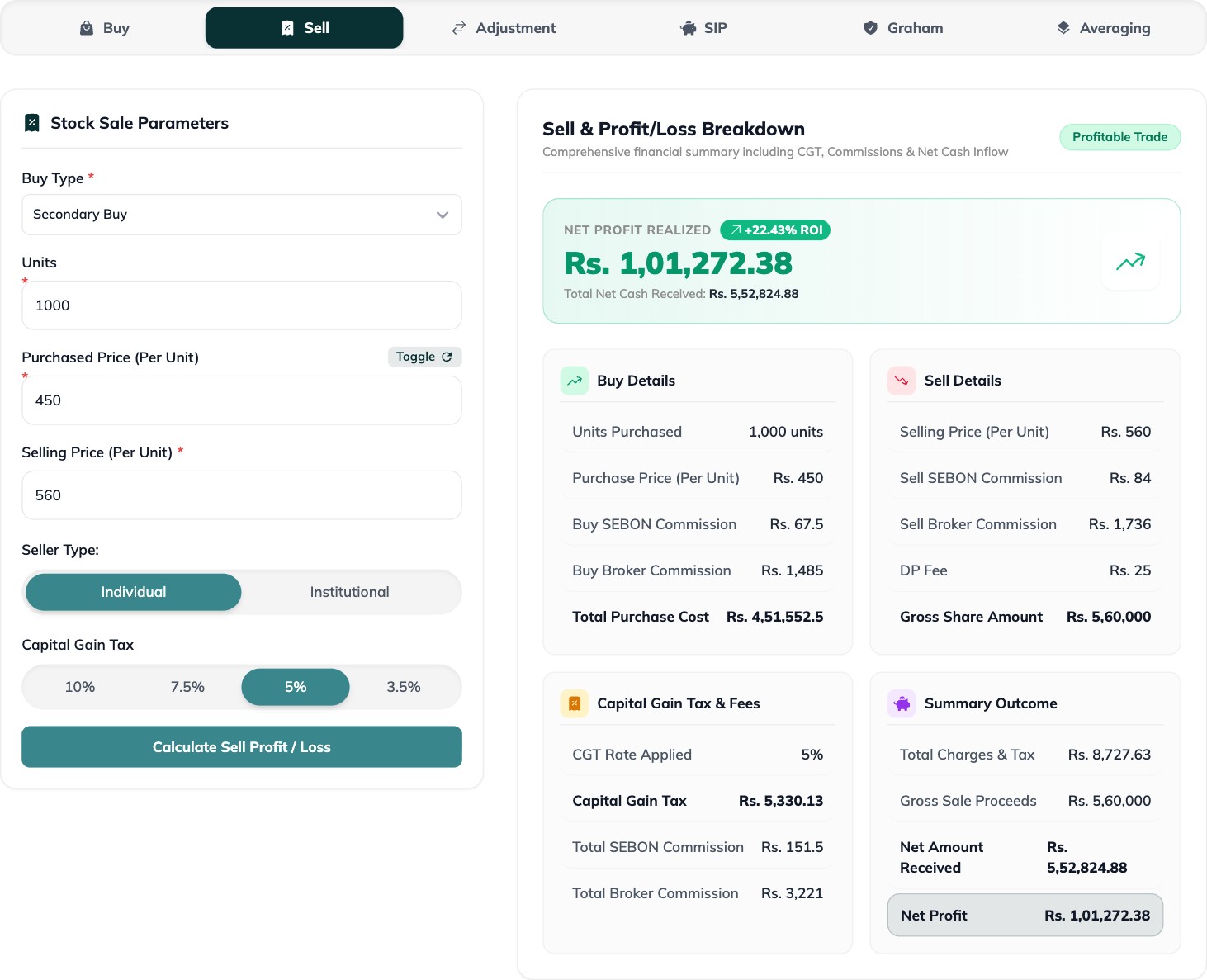
You can run your own numbers in the ShareHub calculator. Choose your seller type, pick the CGT rate that matches your holding period, and it shows the tax and your net amount received.
Why your WACC decides how much tax you pay
Because CGT is based on your purchase cost, the cost figure in MeroShare is critical. That figure is your weighted average cost of capital, or WACC. If your purchase source is missing or wrong, MeroShare may treat your cost as lower than it really is, your gain looks bigger, and you pay more tax than you should.
Before selling, check that every purchase is updated in MeroShare and that bonus and right shares are recorded correctly. Our guide to WACC in MeroShare walks through it step by step.
Five practical ways to keep more of your gains
- Watch the 365-day line. If a stock you plan to sell is a few weeks short of a year, waiting can cut the tax rate from 5% to 3.75%. Weigh that against market risk, of course.
- Keep your WACC accurate. Update purchase sources in MeroShare after every buy, bonus and right share.
- Know your trading costs. Commission and fees reduce your taxable gain but also your profit. See our breakdown of the real cost of buying and selling shares in Nepal.
- Track holding periods by purchase. A portfolio app that records each buy date makes it easy to see which lots have crossed one year.
- Follow the loss netting reform. The revival plan proposes taxing only net gains after losses through the trading and settlement system. It is not in effect yet, but it would change the maths for active traders once implemented.
Also in the app: The Sell calculator and portfolio tracking is available in the ShareHub mobile app for Android and iOS, so you can do it from your phone as easily as from your computer.
Frequently asked questions
What is the capital gains tax on shares in Nepal now?
For resident individuals, 3.75% on gains from shares held more than 365 days and 5% on gains from shares held 365 days or less, effective from 22 September 2026.
Is CGT charged on the full sale amount?
No. It is charged on your gain after deducting your total purchase cost and the sale-side charges.
Who deducts the tax?
Your broker deducts CGT at settlement based on the cost recorded in MeroShare, so keeping your WACC up to date matters.
Do I pay CGT if I sell at a loss?
No tax is due on a trade that makes a loss. Offsetting losses against gains on other trades has been proposed but is not yet in effect.
Is this tax advice?
No. This guide explains the rules in general terms. For your specific situation, especially for institutional holdings, confirm with your broker or a tax professional.
Know your tax before you sell
Run any trade through the ShareHub Sell calculator to see commission, CGT and your exact net profit.
Open the calculatorGet it on Google PlayDownload on the App Store